Trending Bike Ai Video Editing (100% Working)

So friends, today I’m going to tell you how you can make a training bike video, which is currently going viral on Instagram. And the interesting thing is that it’s very easy to make. So even if you don’t know editing at all, you can still make such a video for free.

Trending bike ai video

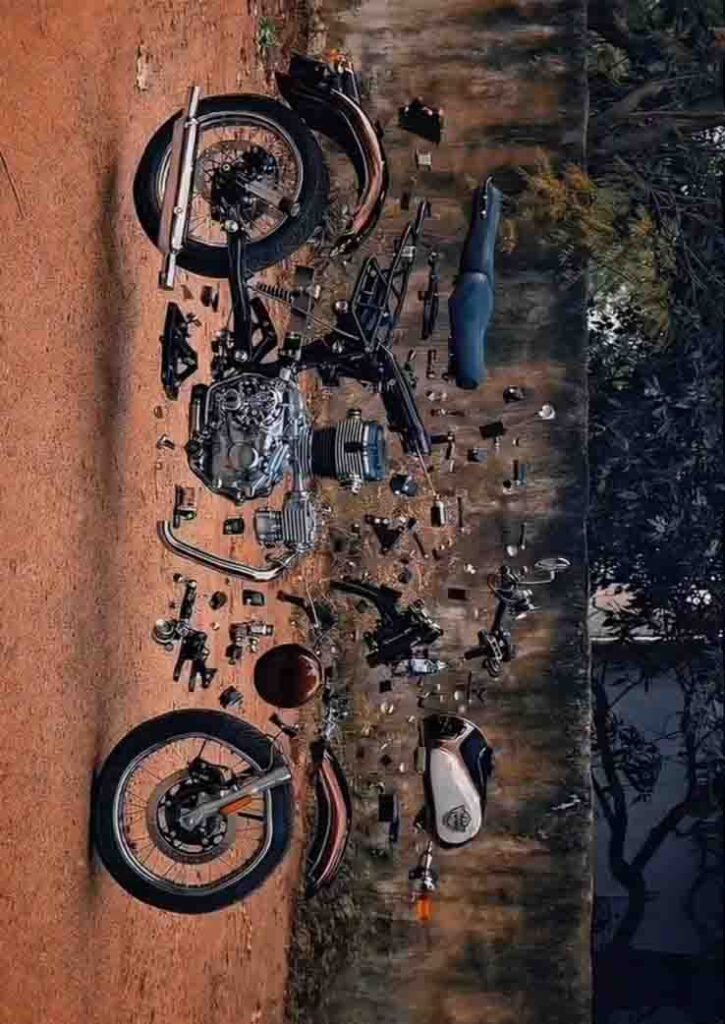
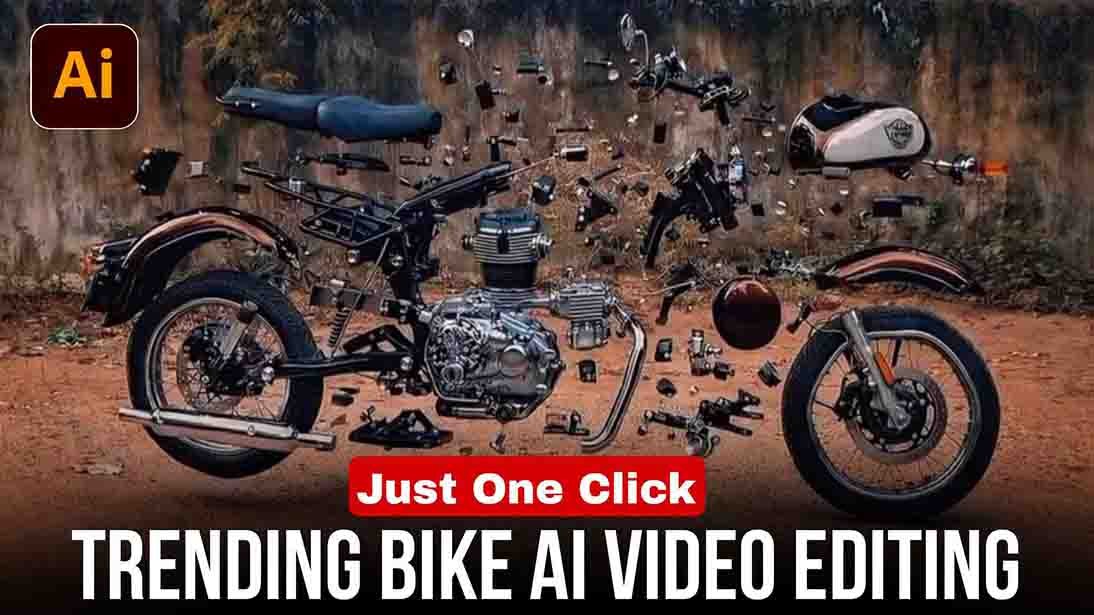
Friends, in this video all the parts of the bike get separated and then get attached back to the FIR, which looks quite unique and this video is still based on a lot of training, so if you also want to make your video viral, then quickly make such a video and upload it.

What is AI Video?

Friends, AI has changed the world. Ever since AI came into the market, social media has been filled with AI videos and they are trending on Instagram and Facebook. As hard as it is to watch these videos, it is equally easy to accept them. You just need to know how to use AI correctly.

How to make Trending Bike ai video

Friends, to make such an AI video, first of all you will have to create a photo of your bike, you can learn how to create it by following the steps given below.

How to make bike ai photo

First, copy the prompt given in the article.
Go to Google Gemini and upload any of your photos.
Paste this prompt and send it.
Your Bike Ai Photo will automatically close and be ready.
Then you can save the photo.

How to convert photo to ai video

First, copy the prompt given in the article.
Now open the Google Flow website.
Instead of text or video, select Prem Video..
Upload a photo of your bike key in the first step and a photo of your bike in the second step
Then paste this prompt and send it.
Your video banker will be ready in a short while.

Trending Bike Ai Video Editing (100% Working)

Photo Prompt

Generate the exploded product image while preserving the hand and framing.
Key Prompt Elements (Example): Create an exploded view where all components are
disassembled and floating in mid-air. Keep the exact same hand position, camera angle,
framing, perspective, lighting, background, and composition as the original photo. Only the
camera separates cleanly into parts, evenly spaced, with realistic proportions

Video Prompt

Photo prompt (exact prompt I used) Create an exploded view of the camera where all components are disassembled and floating in mid-air, including the lens, internal parts, metal brackets, and buttons. Even the top bracket must be separated into its constituent components.
Keep the exact same hand position, camera angle, framing, perspective, lighting,
background, and composition as the original photo.The hand and arm remain fully intact and unmoved. Only the camera separates cleanly into parts,evenly spaced, with realistic proportions.
Photorealistic, no distortion. Especially important: the top bracket that states
“cinema line” must be detached into its constituent components and floating.It should
not be locked in the same placement as the original photo. video prompt: Animate the exploded product parts smoothly assembling into the fully built product.All parts move inward along their original positions and axes. follow for more such contents

Features of trending bike ai video

A video can be created from a photo
No editing required.
It’s completely free.
It saves time.
It also looks quite unique

Conclusion

Friends, I hope you understand how to create a bike training video. If you still face any problem in creating a bike video, then try 2 to 3 more times and your video will be made. So go quickly and make your reels. Maybe your next reel will go viral.

Leave a Comment

Trending Bike Ai Video Editing (100% Working)

So friends, today I’m going to tell you how you can make a training bike video, which is currently going viral on Instagram. And the interesting thing is that it’s very easy to make. So even if you don’t know editing at all, you can still make such a video for free.

Trending bike ai video

Friends, in this video all the parts of the bike get separated and then get attached back to the FIR, which looks quite unique and this video is still based on a lot of training, so if you also want to make your video viral, then quickly make such a video and upload it.

What is AI Video?

Friends, AI has changed the world. Ever since AI came into the market, social media has been filled with AI videos and they are trending on Instagram and Facebook. As hard as it is to watch these videos, it is equally easy to accept them. You just need to know how to use AI correctly.

How to make Trending Bike ai video

Friends, to make such an AI video, first of all you will have to create a photo of your bike, you can learn how to create it by following the steps given below.

How to make bike ai photo

First, copy the prompt given in the article.
Go to Google Gemini and upload any of your photos.
Paste this prompt and send it.
Your Bike Ai Photo will automatically close and be ready.
Then you can save the photo.

How to convert photo to ai video

First, copy the prompt given in the article.
Now open the Google Flow website.
Instead of text or video, select Prem Video..
Upload a photo of your bike key in the first step and a photo of your bike in the second step
Then paste this prompt and send it.
Your video banker will be ready in a short while.

Trending Bike Ai Video Editing (100% Working)

Photo Prompt

Generate the exploded product image while preserving the hand and framing.
Key Prompt Elements (Example): Create an exploded view where all components are
disassembled and floating in mid-air. Keep the exact same hand position, camera angle,
framing, perspective, lighting, background, and composition as the original photo. Only the
camera separates cleanly into parts, evenly spaced, with realistic proportions

Video Prompt

Photo prompt (exact prompt I used) Create an exploded view of the camera where all components are disassembled and floating in mid-air, including the lens, internal parts, metal brackets, and buttons. Even the top bracket must be separated into its constituent components.
Keep the exact same hand position, camera angle, framing, perspective, lighting,
background, and composition as the original photo.The hand and arm remain fully intact and unmoved. Only the camera separates cleanly into parts,evenly spaced, with realistic proportions.
Photorealistic, no distortion. Especially important: the top bracket that states
“cinema line” must be detached into its constituent components and floating.It should
not be locked in the same placement as the original photo. video prompt: Animate the exploded product parts smoothly assembling into the fully built product.All parts move inward along their original positions and axes. follow for more such contents

Features of trending bike ai video

A video can be created from a photo
No editing required.
It’s completely free.
It saves time.
It also looks quite unique

Conclusion

Friends, I hope you understand how to create a bike training video. If you still face any problem in creating a bike video, then try 2 to 3 more times and your video will be made. So go quickly and make your reels. Maybe your next reel will go viral.

Leave a Comment