
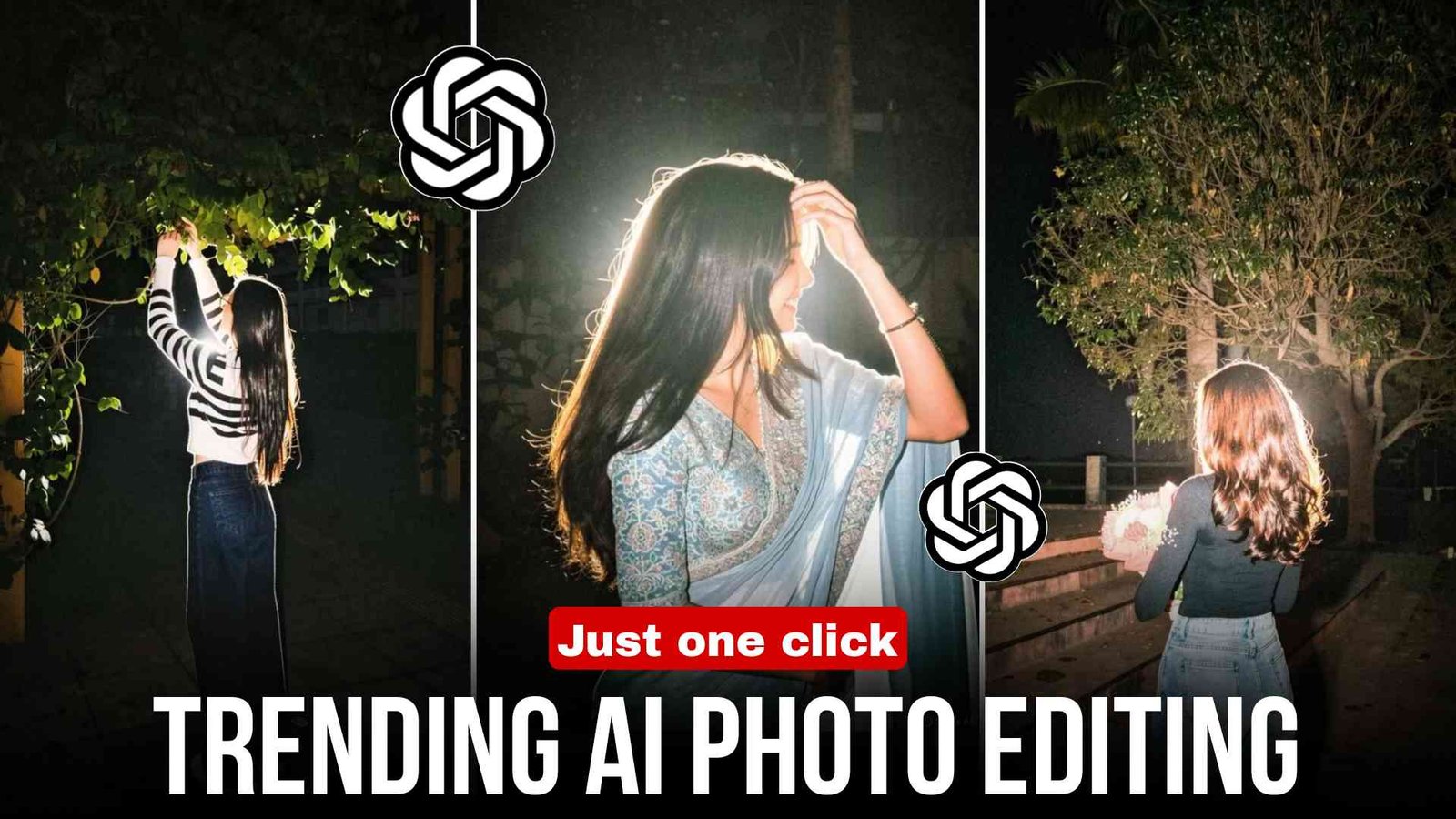
Hello friends, a very warm welcome to you again on this website. As you must have already seen, this type of photo is going very viral on Instagram these days, but many people are not able to create it because they don’t even know how it is made. So in today’s article, I am going to tell you exactly how you can also create such trending photos, that too only with the help of Instagram Meta AI. So if you also want to learn and create such photos, then this article can prove to be the best for you.
What is Instagram Trending Photo Editing?
At present, a new trending photo style is going viral on Instagram in which you get a complete night look type photo. This is created with the help of Meta AI in Instagram. You just have to upload your simple photo and by using a front pose, you can create your photo. And this is completely free. So if you also want your photo to go viral, then quickly create such a photo because it is currently trending a lot.
How to Edit Photos (Step-by-Step)
Friends, now let me tell you how you can also create such trending photos with the help of Instagram. If you also want to learn, then follow the steps given below:
- First of all, open your Instagram
- Go to Story and add any of your photos
- Now there you will see a “Restyle” option, click on it
- Then copy the prompt given in this article and paste it there
- Now just wait for a while, and in a short time your photo will be created there
- You can easily save it in your gallery
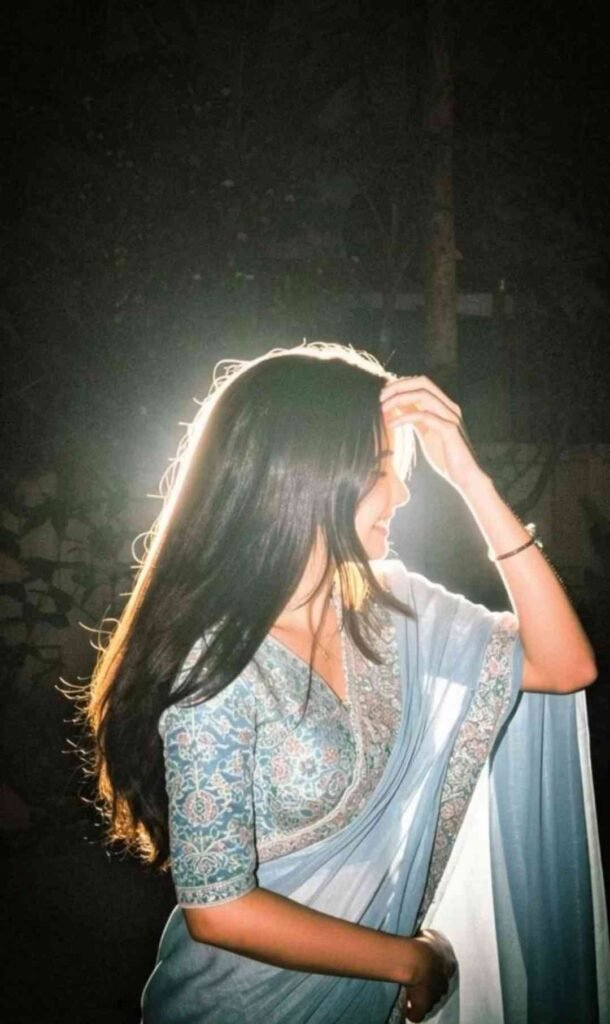
Pro Tips for Viral Photos
Friends, if you also want your photo to go trending or viral, then you should always use an HD and clear photo while creating it. Make sure the background is simple, only then your photo will look perfect. After creating the photo, you should do a little color grading so that the photo looks better. And while uploading the photo, make sure to use hashtags in the caption and also use trending music. By following all these tips, you can easily make your photo viral.
How to select the right photo
Friends, before creating the photo, it is very important to select the right photo because only with the right photo you can create a perfect result using AI. For this, always use a clear face HD photo and do not use blur or low-quality photos. You can also use natural light while clicking the photo, and a front pose is always the best.
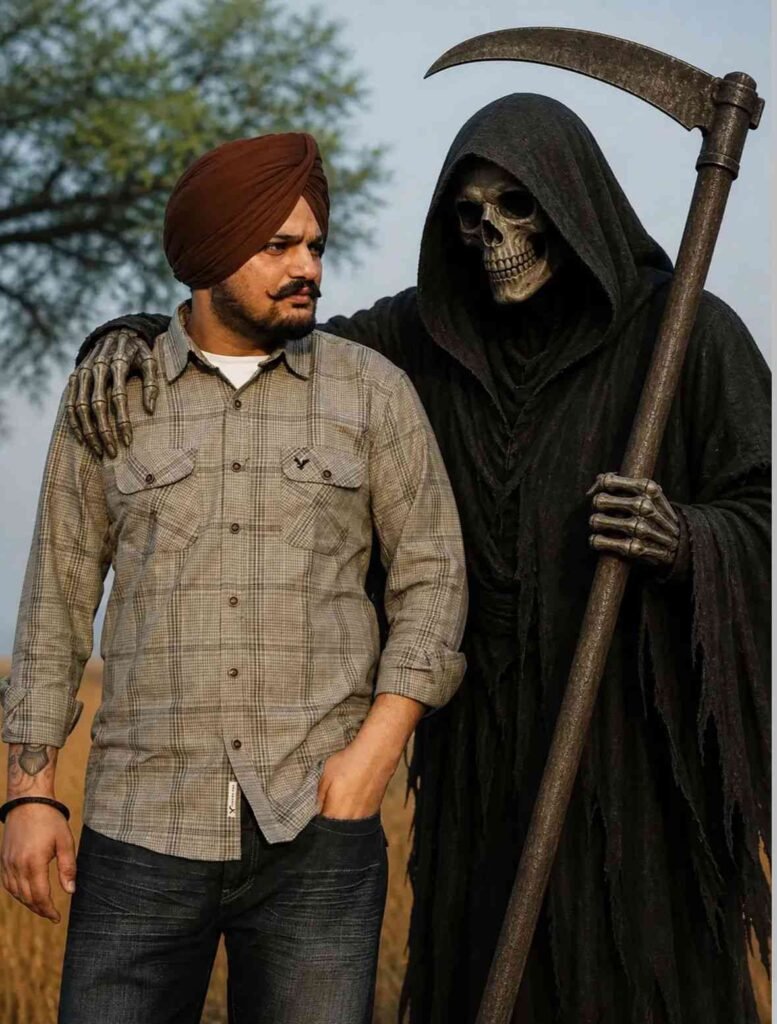
Prompt
ADD THE HIM STANDS A DARK,
EERIE GRIM REAPER WEARING A BLACK HOODED CLOAK, WITH A SKULL FACE AND HOLDING A
LARGE SCYTHE. THE REAPER'S ARM IS PLACED CASUALLY
AROUND THE MAN'S SHOULDER
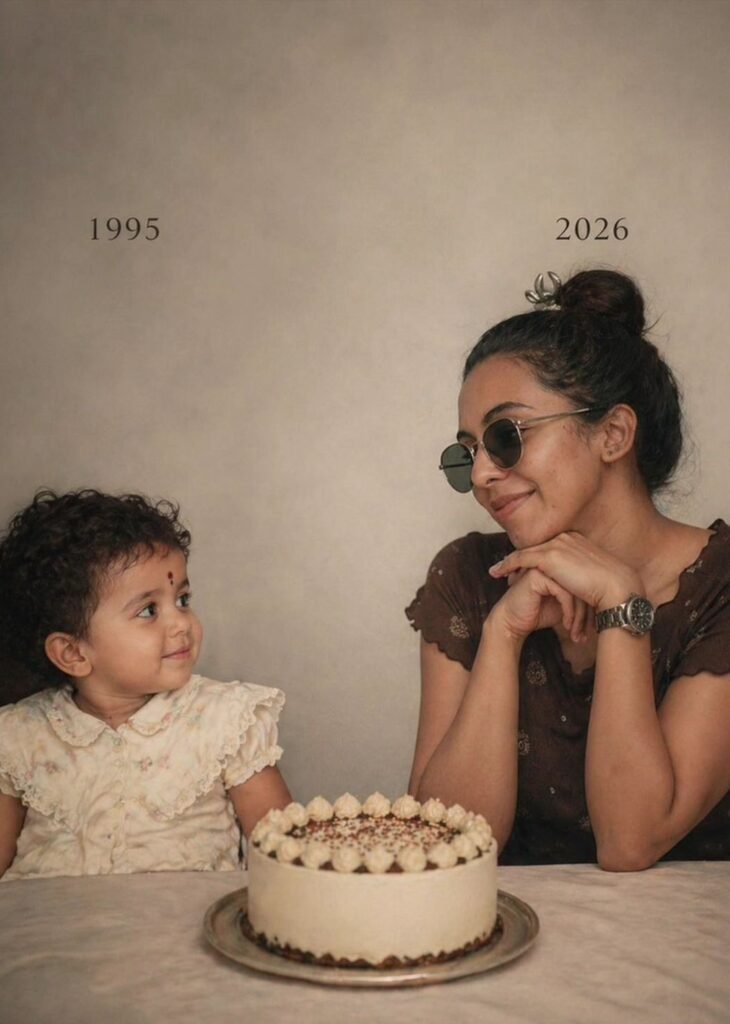
Prompt
On the left: a child version of me (from a childhood photo looking with an innocent smile to the right, with 2006 written above On the right: A present version of me (from a recent photo) sits with her hands under her chin and looks at the child with a calm smile, with "2026" written above her. In the middle: a table with a simple, elegant birthday cake. With the the numerical candles 19 Studio background: plain and soft (studio background)
The lighting: Soft, cinematic, warm (even a black-and-white photo).
Style: Professional, minimal, emotional photography, focusing on feelings and visual communication between the two versions.
Make the picture look so real like a real photoshoot. Keep my original features without changing. photo size
4:5
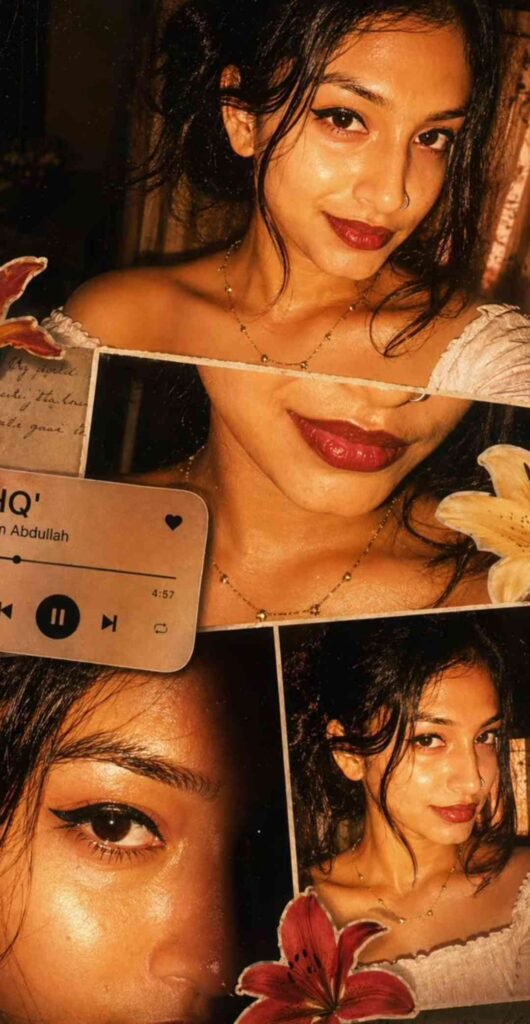
Girls Prompt
Ultra-realistic cinematic collage
of a young woman using the uploaded face exactly. The image is composed of multiple rectangular photo panels layered vertically and diagonally, creating a scrapbook-style layout. Each panel shows close-up and mid-shot portraits of the same girl in a dim indoor room.
Lighting: strong, warm, golden-orange direct flash lighting hitting the face from the front-left, creating high contrast, deep shadows, and a glowing skin effect.
Background remains dark with visible window curtains slightly illuminated. Harsh highlights on cheekbones, nose, and lips.
Slight film grain and soft blur for a dreamy vintage feel. Color grading: intense amber, burnt orange, and golden tones dominating the entire image. High saturation, slightly crushed blacks, and glowing highlights.
Subject styling: messy tied-back hair with loose strands falling on face, glossy lips, subtle eyeliner, dewy skin. Wearing a delicate necklace with small pendants and a casual white top.
Composition details:
Top panel: serious expression, looking directly at camera.
Middle panel: cropped lips and necklace close-up.
Bottom left: extreme close-up of eyes with strong shadow split across face.
Bottom right: angled portrait with soft side gaze.
Panels overlap slightly with uneven spacing for aesthetic collage look.
Overlay elements:
Add realistic flower stickers (lilies in orange, cream, and red tones) placed around the collage.
Add a music player Ul card in the center-left area with a soft rounded design.
Music player text:
Title: "Pavazhamalli"
Artist: "Devaa"
Include minimal playback bar and icons (play/pause, skip).
Final touches:
Slight glow/bloom effect on highlights
Subtle vignette around edges
Flash photography look, like taken on a digital camera at night
Maintain natural skin texture, avoid over-smoothing
Boys Prompt
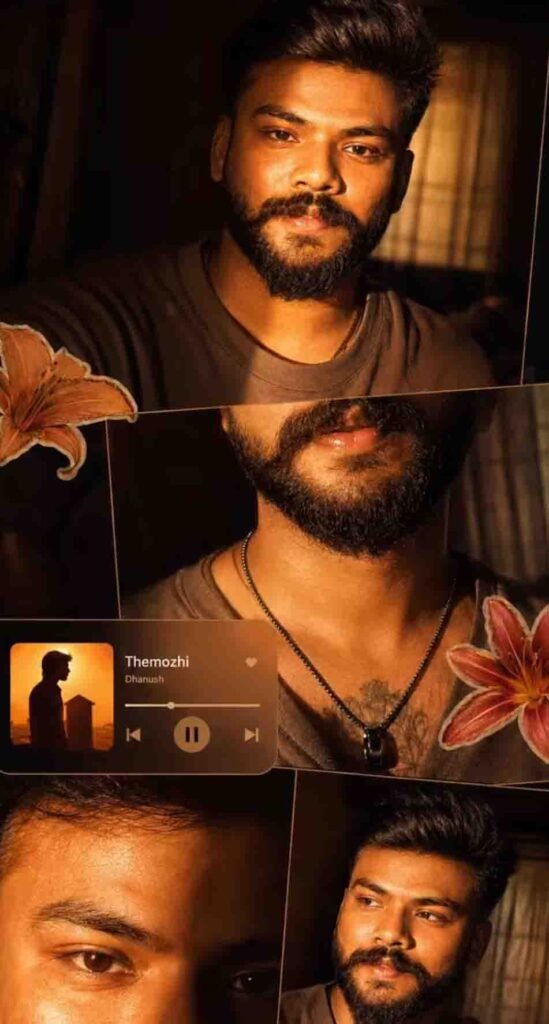
Ultra-realistic cinematic collage of a young Man using the uploaded face exactly. The image is composed of multiple rectangular photo panels layered vertically and diagonally, creating a scrapbook-style layout. Each panel shows close-up and mid-shot portraits of the same girl in a dim indoor room. Lighting: strong, warm, golden-orange direct flash lighting hitting the face from the front-left, creating high contrast, deep shadows, and a glowing skin effect. Background remains dark with visible window curtains slightly illuminated. Harsh highlights on cheekbones, nose, and lips. Slight film grain and soft blur for a dreamy vintage feel. Color grading: intense amber, burnt orange, and golden tones dominating the entire image. High saturation, slightly crushed blacks, and glowing highlights. Subject styling: messy back hair, glossy lips, dewy skin. Wearing a casual tee. Composition details: Top panel: serious expression, looking directly at camera. Middle panel: cropped lips and necklace close-up. Bottom left: extreme close-up of eyes with strong shadow split across face. Bottom right: angled portrait with soft side gaze. Panels overlap slightly with uneven spacing for aesthetic collage look. Overlay elements: Add realistic flower stickers (lilies in orange, cream, and red tones) placed around the collage. Add a music player Ul card in the center-left area with a soft rounded design. Music player text: Title: "Themozhi" Artist: "Dhanush" Include minimal playback bar and icons (play/pause, skip). Final touches: Slight glow/bloom effect on highlights Subtle vignette around edges Flash photography look, like taken on a digital camera at night Maintain natural skin texture, avoid over-smoothing
Couple Prompt
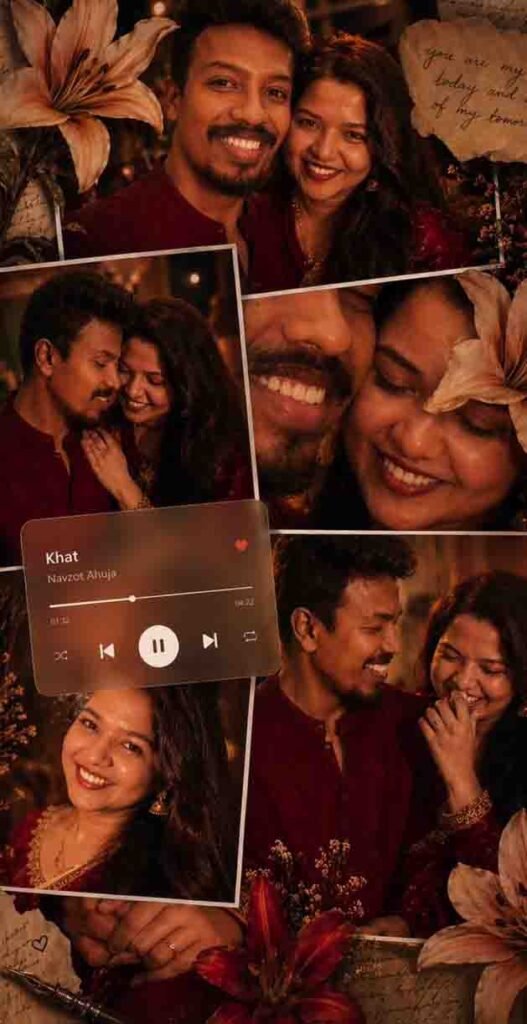
player overlay showing a song playing for a nostalgic vibe. Skin appears dewy and radiant, with minimal elegant makeup. Style: soft glam, editorial, aesthetic Instagram collage, warm color grading, high detail, shallow depth of field, cinematic lighting,
4K, ultra-realistic.
Final Words
Friends, I hope you have understood how to create Instagram trending photos. If your photo is still not getting created or you face any problem, then try 2–3 times and your photo will be created without any problem. So now go quickly and create such a photo and upload it on Instagram. Maybe your next post will go viral. So friends, that’s all for today’s article. If you liked this article, then जरूर share it with your friends. Thank you.
FAQ (Frequently Asked Questions)
Q1. Can this editing be done without AI?
Yes friends, you can also create this without AI using apps like Instagram, CapCut, and PicsArt.
Q2. Which AI tool is the best?
Bing Image Creator, Leonardo AI, and Remini are best for beginners.
Q3. Will I get a good result with a low-quality photo?
No, if you use a low-quality photo, you will not get a good result. Always use an HD and clear photo for better results.
Q4. Can this editing be done on mobile?
Yes, you can easily edit AI photos using a mobile.
Q5. Do these photos go viral on Instagram?
If your editing is good and you use the right hashtags, then the chances of going viral increase.