
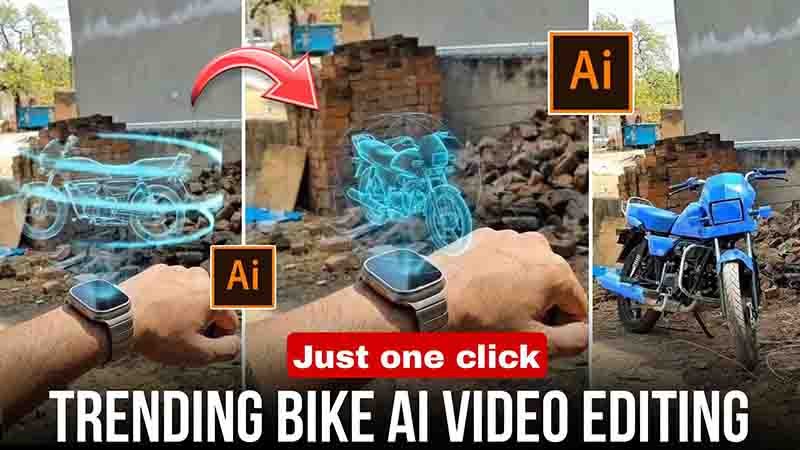
Friends, as you must have seen on Instagram, bike videos are going very viral these days. In these videos, people create content showing their bike being assembled, which looks very amazing and unique. It feels like the bike is assembling on its own.
And let me tell you one honest thing — you can easily create this with the help of AI. You just need to upload a photo of your bike into any AI tool, paste the correct prompt, and you can easily generate the video.
So in today’s article, I will explain everything in detail about how you can create trending videos. If you also want to learn, then make sure to read the article till the end. So without wasting any time, let’s get started.
What is Bike AI Video Editing?
Friends, if I explain bike AI video in simple language, in this you just need to go to any AI tool, upload a photo of your bike, and generate a video by entering a prompt. This is what is called bike AI video editing.
In this, you will see the bike assembling on a plain road, and the video looks completely realistic. It feels like professional editing, which helps your video go viral, and you get all those features in it.
Which Tools Should You Use? (Real Suggestion)
Friends, below I have mentioned some AI tools that many people are currently using and getting the best results:
Pixvers AI
If you want to create videos using AI templates, then you can make videos from your photo in this.
Google Gemini
If you want realistic and fast work, then you can use this.
ChatGPT
In this, you get high-quality output and there is no watermark. For beginners, this AI tool is the best.
Step-by-Step: How to Create Bike AI Video
Friends, now let me tell you how you can also create this bike AI video. If you want to learn, then just follow the steps given below:
- First of all, you have to open Pixvers AI
- Then log in with your Gmail and create an account
- After that, go to the template section and search for “bike template”
- Then the bike template will appear in front of you, click on it
- Now select your bike photo from your gallery and add it
- After that, you will see the option to generate video, click on it
- Now you just have to wait for some time while the video is being generated
- After a short time, your bike AI video will be automatically created and shown there
- You can download it by clicking on the download option and save it in your gallery
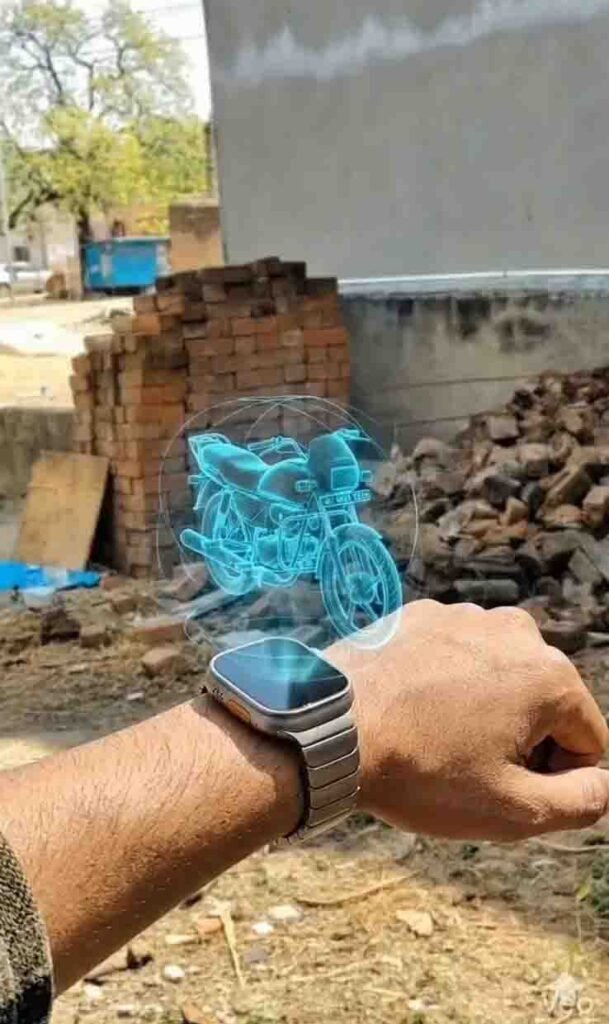
Prompt
A cinematic realistic video of a man holding his wrist in an outdoor roadside setting during daytime. He is wearing a modern smartwatch. Suddenly, a glowing blue holographic projection appears from the smartwatch, forming a rotating 3D motorcycle in mid-air with neon light trails swirling around it. The hologram gradually becomes more solid and detailed. After a few seconds, the hologram transforms smoothly into a real physical motorcycle with realistic textures, metal reflections, and shadows. The bike lands naturally on the ground in front of him. The environment reacts with light reflections and dust particles. Camera has slight handheld movement with cinematic depth of field. Ultra realistic, 4K quality, dramatic lighting, slow motion, sci-fi transformation effect.
Real Tips to Go Viral
Friends, to go viral you need to upload 2–3 videos daily and keep the video length short, around 10 to 12 seconds. Try to upload in the evening time and always use high-quality photos or videos. Never use low-quality content.
While uploading the video, make sure to use trending music and trending hashtags. This will increase the chances of your video going viral.
Real Advice (That People Don’t Tell)
Friends, AI is only a tool, not magic. You should know how to use it properly, only then you can create a perfect video. Not every video goes viral, so you need to have patience.
Do not copy anyone’s video, just take inspiration. And the most important thing — clean and simple editing works better.
Final Words
So friends, if you want to start making videos on social media, you can begin with bike AI videos. Because this is currently trending a lot, the chances of getting more likes and views are higher.
So what are you waiting for? Go to any AI tool today, upload your bike photo, create a trending bike video, and upload it. Maybe your next reel goes viral.
Friends, I hope you liked today’s article. If you found it helpful, do share it with your friends. That’s all for today — if you want to learn more editing like this, keep visiting our website. Thank you