
Hello friends, how are you? I hope you’re all doing well. So today I’m going to give you Trending Prompts, which you can use to edit your photos in just one click, all in Google Gemini. If you want to make your photos or videos viral and learn how to create a trending photo, then this article is for you.
Because in today’s article, I’m going to explain in very simple terms how you can create a trending photo using a prompt.
If you also want to learn, then read the article to the end; you’ll learn easily.
Details of Prompt Photo Prompt
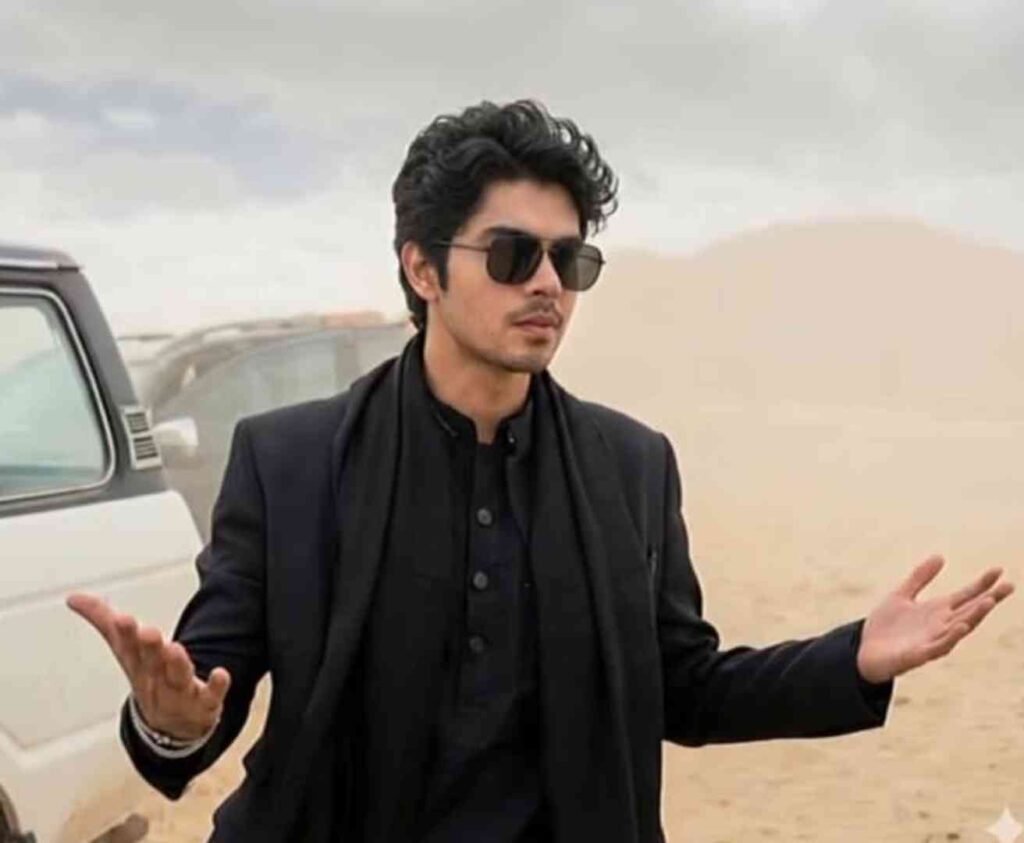
Friends, in photos created with these prompts, you’ll see a scene like the movie Dhurandhar, which is currently trending a lot.
With these prompts, you can create your photos in different styles.
The most interesting thing is that using these prompts doesn’t change the face at all.
The face is created exactly as it appears in your original photo.
These prompts are the new prompts for 2026, so you should definitely use them.
The next viral photo could be yours.
How to Create a Trending Photo with Google Gemini?
Friends, do you also want to edit photos with the help of Google Grid but you do not know how to do it, then by following the steps given below in the article, you can easily learn to make such training photo edits.
- First, copy the prompt given in the article.
- Then, open Google Play or the website.
- Now, upload a clear face photo of yourself and paste this prompt.
- And simply click on the sand and your photo will begin to be created.
- You just need to wait a little while; your photo will be created and appear there.
- Now you can save the photo to your gallery.
Prompt
A charismatic, young man with dark,slicked-black hair and gold-rimmed aviator sunglasses. He is wearing a stylish black suit jacket over a black traditional tunic (shalwar kameez). He has a slightly smirking or confident expression and is gesturing outwards with both open palms in a ‘what can you do? pose. He is standing in a dusty, desolate desert or mountainous terrain. luxury SUV is parked behind him. The background is dusty with soft cloudy skies and muted beige tones. Cinematic lighting, shallow depth of field, realistic photography, 4K ultra-detailed, moody Bollywood movie scene, dramatic atmosphere, professional color grading. Preserve Face 100%, I want 100% same face as in the reference image no alteration.
About me
Friends, my name is Vikas and I am a photo and video editor and I have been doing this work for more than 5 years.That’s why I keep giving you editing tips and tricks on the Daily Marriage website, with the help of which you can easily edit your photos or videos, or if you want to get your photos edited, you can message me on Instagram.
Benefits of Photo Editing with AI
Friends, there are many advantages of getting photos made from A, such as it saves time, there is no need for any editing, the work is done very fast. And we get high quality photos which we can upload on Instagram and Facebook and get good likes and views.
conclusion
This way you can create unlimited trending Reels edits every day for free!
So guys, I hope everything is crystal clear now. If you still face any problem, just drop a comment below and I’ll help you out.
See you in the next article — keep creating fire content!